AI Shakira Voice Generator
Spanish and English
Turn any song or text into a Shakira cover in seconds. The AI Shakira voice generator swaps the vocals of your favorite tracks with a studio-quality, user-created Shakira model — upload a song, paste a YouTube or TikTok link, record live, or type text to hear it spoken as Shakira.
The AI Shakira voice keeps tone, timing, and emotion intact so every cover sounds natural. It works across Spanish and English and many others, and covers finish in under a minute — completely in your browser, with no software to install.
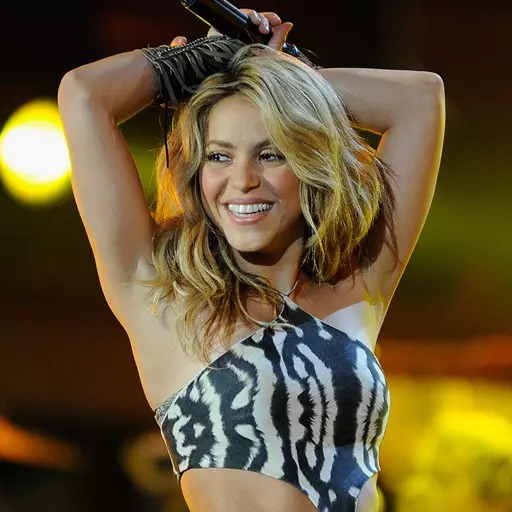
The AI Shakira voice at a glance
- Voice type
- AI voice
- Best for
- Every genre
- Languages
- Spanish and English
- Popularity
- Community favorite
What is the AI Shakira voice?
The AI Shakira voice is a user-created voice model on VoiceDub that converts the vocals of any song — or any text you type — into AI Shakira's voice. Instead of recording or imitating, you give VoiceDub a source and it re-sings it as AI Shakira while keeping the original instrumental.
- Sings in Spanish and English
- Studio-quality, fully in your browser
- Covers ready in 30–60 seconds
How to make an AI Shakira cover
What you can create with the AI Shakira voice
From full song covers to text-to-speech, here's what the AI Shakira voice can do.
AI Shakira voice specifications
A quick reference for everything the AI Shakira voice supports.
| Voice | AI Shakira |
|---|---|
| Best genres | All genres |
| Languages | Spanish and English |
| Output quality | Studio-quality audio |
| Render time | 30–60 seconds |
| Popularity | Community favorite |
| Added | October 2023 |
Genres and languages the AI Shakira voice handles
Languages
Make AI Shakira covers from any platform
Paste a link from any of these platforms and VoiceDub will pull the audio and convert it to AI Shakira automatically.
AI Shakira cover vs. cloning your own voice
Two ways to make a cover on VoiceDub — pick the one that fits your project.
Everything you need around your cover
The AI Shakira voice is one part of the VoiceDub studio. Explore the rest of the toolkit.
AI Voice Covers
Swap any song's vocals for AI Shakira or 10,000+ other user-created voices.
Voice Cloning
Train a custom AI model from your own voice or samples.
Vocal Remover
Split any track into clean vocal and instrumental stems for free.
Vocoder
Shape and re-synthesize vocals with classic vocoder effects.
Why make your AI Shakira cover with VoiceDub
Everything you need to turn an idea into a finished cover, in one browser tab.
Tips for the best AI Shakira cover
- Use a source with clear, isolated lead vocals for the most accurate AI Shakira sound.
- Match the song's key to AI Shakira's range, or nudge the pitch in Advanced settings if it sounds too high or low.
- Keep the mix balanced — VoiceDub re-combines vocals and instrumental automatically.
- Experiment across genres to find what AI Shakira does best.
- Start short: test a chorus first, then run the full song once you like the AI Shakira tone.
AI Shakira voice — frequently asked questions
How realistic does the AI Shakira voice sound?
VoiceDub renders AI Shakira at studio quality, preserving tone, timing, and inflection. Pair it with a clean source for the most natural-sounding AI Shakira cover.
What audio can I turn into an AI Shakira cover?
Upload a song file, paste a link from YouTube, TikTok, SoundCloud and more, record live vocals in the browser, or type text to hear it spoken as AI Shakira.
Do I need to install anything to use the AI Shakira voice?
No. The AI Shakira voice generator runs entirely in your browser on any device — there's nothing to download or set up.
Can I change the pitch or key of an AI Shakira cover?
Yes. Open Advanced settings before generating to shift the pitch up or down so the AI Shakira voice sits perfectly in the song.
What languages does the AI Shakira voice support?
The AI Shakira voice works across Spanish and English and many others, and you can convert any uploaded song, link, recording, or typed text.
What songs work best with the AI Shakira voice?
Any song works — tracks with clear, prominent lead vocals give the cleanest AI Shakira cover.
Every voice on VoiceDub is an AI model created and uploaded by its users. VoiceDub is an independent platform and is not affiliated with, endorsed by, or sponsored by any third party. Any names or trademarks are the property of their respective owners.