เครื่องมือสร้างเสียง AI Lomando.com Groan (basically the jumpscare that made mutahar laugh)
ป็อป
เปลี่ยนเพลงหรือข้อความใดก็ได้ให้เป็นคัฟเวอร์ Lomando.com Groan (basically the jumpscare that made mutahar laugh) ในไม่กี่วินาที เครื่องมือสร้างเสียง AI Lomando.com Groan (basically the jumpscare that made mutahar laugh) จะสลับเสียงร้องของเพลงโปรดของคุณด้วยโมเดล Lomando.com Groan (basically the jumpscare that made mutahar laugh) คุณภาพระดับสตูดิโอที่ผู้ใช้สร้าง — อัปโหลดเพลง วางลิงก์ YouTube หรือ TikTok อัดสดๆ หรือพิมพ์ข้อความเพื่อฟังมันพูดเป็น Lomando.com Groan (basically the jumpscare that made mutahar laugh)
สร้างมาเพื่อรองรับ ป็อป เสียง AI Lomando.com Groan (basically the jumpscare that made mutahar laugh) คงโทนเสียง จังหวะ และอารมณ์ไว้ครบ ทำให้ทุกคัฟเวอร์ฟังดูเป็นธรรมชาติ คัฟเวอร์เสร็จในไม่ถึงหนึ่งนาที — ทำในเบราว์เซอร์ทั้งหมด ไม่ต้องติดตั้งซอฟต์แวร์
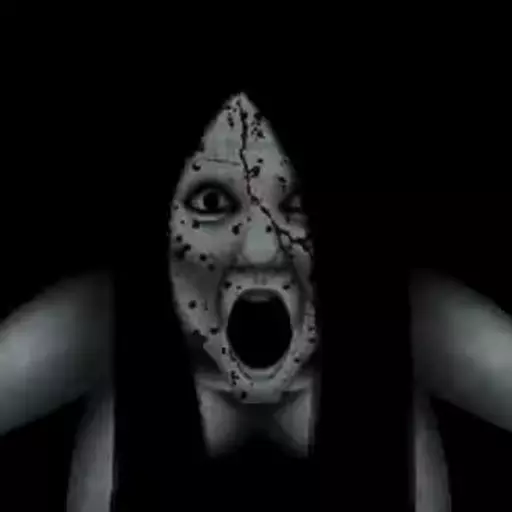
เสียง AI Lomando.com Groan (basically the jumpscare that made mutahar laugh) โดยสรุป
- ประเภทเสียง
- เสียง AI
- เหมาะที่สุดสำหรับ
- ป็อป
- ภาษา
- อังกฤษ
- ความนิยม
- ขวัญใจคอมมูนิตี้
เสียง AI Lomando.com Groan (basically the jumpscare that made mutahar laugh) คืออะไร?
เสียง AI Lomando.com Groan (basically the jumpscare that made mutahar laugh) คือโมเดลเสียงที่ผู้ใช้สร้างบน VoiceDub ที่แปลงเสียงร้องของเพลงใดก็ได้ — หรือข้อความใดก็ตามที่คุณพิมพ์ — ให้เป็นเสียง AI Lomando.com Groan (basically the jumpscare that made mutahar laugh) แทนที่จะอัดหรือเลียนแบบ คุณแค่ให้แหล่งเสียงกับ VoiceDub แล้วมันจะร้องใหม่เป็น AI Lomando.com Groan (basically the jumpscare that made mutahar laugh) โดยคงดนตรีต้นฉบับไว้
- ปรับมาเพื่อเสียงร้องแนว ป็อป
- รองรับ อื่นๆ ร้องเพลง พูด และตัวละคร
- คุณภาพระดับสตูดิโอ ทั้งหมดในเบราว์เซอร์ของคุณ
- คัฟเวอร์พร้อมใน 30–60 วินาที
วิธีทำคัฟเวอร์ AI Lomando.com Groan (basically the jumpscare that made mutahar laugh)
สิ่งที่คุณสร้างได้ด้วยเสียง AI Lomando.com Groan (basically the jumpscare that made mutahar laugh)
ตั้งแต่คัฟเวอร์เพลงเต็มไปจนถึงการแปลงข้อความเป็นเสียง นี่คือสิ่งที่เสียง AI Lomando.com Groan (basically the jumpscare that made mutahar laugh) ทำได้
ข้อมูลจำเพาะเสียง AI Lomando.com Groan (basically the jumpscare that made mutahar laugh)
ข้อมูลอ้างอิงฉบับย่อสำหรับทุกสิ่งที่เสียง AI Lomando.com Groan (basically the jumpscare that made mutahar laugh) รองรับ
| เสียง | AI Lomando.com Groan (basically the jumpscare that made mutahar laugh) |
|---|---|
| แนวเพลงที่เหมาะที่สุด | ป็อป |
| ภาษา | อังกฤษ |
| สไตล์ | อื่นๆ ร้องเพลง พูด และตัวละคร |
| คุณภาพเอาต์พุต | เสียงคุณภาพระดับสตูดิโอ |
| เวลาเรนเดอร์ | 30–60 วินาที |
| ความนิยม | ขวัญใจคอมมูนิตี้ |
| เพิ่มแล้ว | ตุลาคม 2566 |
แนวเพลงและภาษาที่เสียง AI Lomando.com Groan (basically the jumpscare that made mutahar laugh) รองรับ
แนวเพลง
ทำคัฟเวอร์ AI Lomando.com Groan (basically the jumpscare that made mutahar laugh) จากทุกแพลตฟอร์ม
วางลิงก์จากแพลตฟอร์มใดก็ได้เหล่านี้ แล้ว VoiceDub จะดึงเสียงมาและแปลงเป็น AI Lomando.com Groan (basically the jumpscare that made mutahar laugh) ให้อัตโนมัติ
คัฟเวอร์ AI Lomando.com Groan (basically the jumpscare that made mutahar laugh) เทียบกับการโคลนเสียงของคุณเอง
ทำคัฟเวอร์บน VoiceDub ได้สองวิธี — เลือกวิธีที่เหมาะกับโปรเจกต์ของคุณ
ทุกอย่างที่คุณต้องการรอบคัฟเวอร์ของคุณ
เสียง AI Lomando.com Groan (basically the jumpscare that made mutahar laugh) เป็นส่วนหนึ่งของสตูดิโอ VoiceDub สำรวจเครื่องมือส่วนที่เหลือได้เลย
เพลงคัฟเวอร์เสียง AI
สลับเสียงร้องของเพลงไหนก็ได้ด้วย AI Lomando.com Groan (basically the jumpscare that made mutahar laugh) หรือเสียงที่ผู้ใช้สร้างอื่นๆ กว่า 10,000 เสียง
โคลนเสียง
เทรนโมเดล AI แบบกำหนดเองจากเสียงของคุณเองหรือตัวอย่างเสียง
แยกเสียงร้อง
แยกแทร็กไหนก็ได้เป็นสเต็มเสียงร้องและดนตรีแบบคลีนได้ฟรี
โวโคเดอร์
ปรับแต่งและสังเคราะห์เสียงร้องใหม่ด้วยเอฟเฟกต์โวโคเดอร์คลาสสิก
ทำไมต้องทำคัฟเวอร์ AI Lomando.com Groan (basically the jumpscare that made mutahar laugh) ของคุณด้วย VoiceDub
ทุกอย่างที่คุณต้องการเพื่อเปลี่ยนไอเดียให้เป็นคัฟเวอร์ที่เสร็จสมบูรณ์ ในแท็บเบราว์เซอร์เดียว
เคล็ดลับสำหรับคัฟเวอร์ AI Lomando.com Groan (basically the jumpscare that made mutahar laugh) ที่ดีที่สุด
- ใช้แหล่งเสียงที่มีเสียงร้องนำชัดเจนและแยกออกมาแล้ว เพื่อให้ได้เสียง AI Lomando.com Groan (basically the jumpscare that made mutahar laugh) ที่แม่นยำที่สุด
- จับคู่คีย์ของเพลงให้เข้ากับช่วงเสียงของ AI Lomando.com Groan (basically the jumpscare that made mutahar laugh) หรือขยับพิตช์ในการตั้งค่าขั้นสูงหากฟังดูสูงหรือต่ำเกินไป
- รักษาสมดุลของมิกซ์ไว้ — VoiceDub จะรวมเสียงร้องและดนตรีเข้าด้วยกันอัตโนมัติ
- จัดเต็มกับแทร็กแนว ป็อป สไตล์ที่ AI Lomando.com Groan (basically the jumpscare that made mutahar laugh) ถนัดที่สุด
- เริ่มจากสั้นๆ: ลองท่อนฮุกก่อน แล้วค่อยรันทั้งเพลงเมื่อคุณชอบโทนเสียง AI Lomando.com Groan (basically the jumpscare that made mutahar laugh)
เสียง AI Lomando.com Groan (basically the jumpscare that made mutahar laugh) — คำถามที่พบบ่อย
เสียง AI Lomando.com Groan (basically the jumpscare that made mutahar laugh) ฟังดูสมจริงแค่ไหน?
VoiceDub เรนเดอร์ AI Lomando.com Groan (basically the jumpscare that made mutahar laugh) ในคุณภาพระดับสตูดิโอ คงโทนเสียง จังหวะ และการเน้นเสียงไว้ จับคู่กับแหล่งเสียงที่สะอาดเพื่อคัฟเวอร์ AI Lomando.com Groan (basically the jumpscare that made mutahar laugh) ที่ฟังเป็นธรรมชาติที่สุด
เสียงแบบไหนที่ฉันเปลี่ยนเป็นคัฟเวอร์ AI Lomando.com Groan (basically the jumpscare that made mutahar laugh) ได้บ้าง?
อัปโหลดไฟล์เพลง วางลิงก์จาก YouTube, TikTok, SoundCloud และอื่นๆ อัดเสียงร้องสดๆ ในเบราว์เซอร์ หรือพิมพ์ข้อความเพื่อฟังมันพูดเป็น AI Lomando.com Groan (basically the jumpscare that made mutahar laugh)
ฉันต้องติดตั้งอะไรไหมเพื่อใช้เสียง AI Lomando.com Groan (basically the jumpscare that made mutahar laugh)?
ไม่ เครื่องมือสร้างเสียง AI Lomando.com Groan (basically the jumpscare that made mutahar laugh) ทำงานทั้งหมดในเบราว์เซอร์บนอุปกรณ์ไหนก็ได้ — ไม่มีอะไรต้องดาวน์โหลดหรือตั้งค่า
ฉันเปลี่ยนพิตช์หรือคีย์ของคัฟเวอร์ AI Lomando.com Groan (basically the jumpscare that made mutahar laugh) ได้ไหม?
ใช่ เปิดการตั้งค่าขั้นสูงก่อน generate เพื่อเลื่อนพิตช์ขึ้นหรือลง ให้เสียง AI Lomando.com Groan (basically the jumpscare that made mutahar laugh) เข้ากับเพลงได้พอดี
AI Lomando.com Groan (basically the jumpscare that made mutahar laugh) ร้องได้ทุกสไตล์ไหม?
ใช่ — ส่งเพลงหรือข้อความใดก็ได้ผ่าน AI Lomando.com Groan (basically the jumpscare that made mutahar laugh) แล้วมันจะปรับให้เข้ากับสไตล์และการถ่ายทอดของแหล่งเสียง
เพลงแบบไหนเข้ากับเสียง AI Lomando.com Groan (basically the jumpscare that made mutahar laugh) ที่สุด?
AI Lomando.com Groan (basically the jumpscare that made mutahar laugh) โดดเด่นกับเพลงแนว ป็อป แต่เพลงไหนก็ได้ เพลงที่มีเสียงร้องนำชัดเจนจะให้คัฟเวอร์ AI Lomando.com Groan (basically the jumpscare that made mutahar laugh) ที่คมชัดที่สุด
Every voice on VoiceDub is an AI model created and uploaded by its users. VoiceDub is an independent platform and is not affiliated with, endorsed by, or sponsored by any third party. Any names or trademarks are the property of their respective owners.